|
|
|
 |
 |
| |
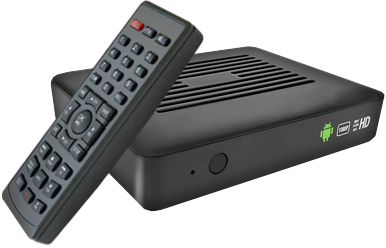
| iNet-200, IPTV STB, Android OS |
|
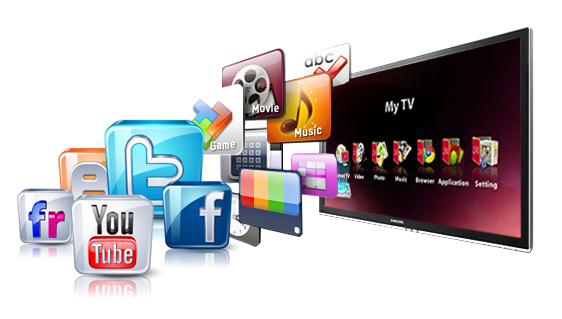
iNet-200 is designed to
bring TV and Cinema home through Internet, plus Google-Box, some SNS, and full
HD 1080P Media Player on the basis of Android OS. In other words, it is a full
package of IPTVSTB (LiveTV, VOD, Broadcast Yourself channels), Internet Full
Browsing, and Excellent Communication Tools such as Emails (Gmail, MSN Mail,
Yahoo Mail) and SNS (Facebook, Twitter, Messenger, Skype etc.), plus open
platform for some designated applications to extend the range of contents to
Netflix, Vudu kinds. It will surely help user to enjoy On-Line as well as
Off-Line contents coming through network and external HDD.
|
|
|
 |
| |
|
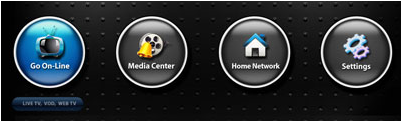
1. Entertainment TV for LiveTV / VOD
.
LiveTV Streaming
.
VOD (Video On Demand)
.
Broadcast Your channels
.
Weather Widget, Network Speed Check
.
Customized Category build up for LiveTV and VOD
.
Categorizing on Youtube Video for different focus
.
Favorite channel collection with one button
. Share your channels with your friends
 
|
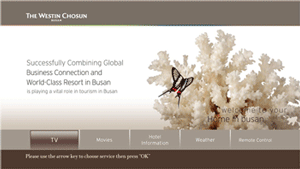
or Hotel, Hospital IPTV solution
.
Hospitality Industry for VOD, LiveTV, Value-Added Service
.
Travel Info, Business Center, Front-Desk, Available Facilities
.
Billing system for paid service, PayTV
.
Time Shift and PVR
.
Internet and Intranet Service supporting TCPIP, UDP
. Room information, Weather widget
. Welcome message, Shopping Guide
|
|
2. Middleware & Security
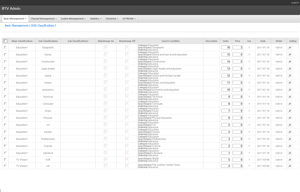
. Authentication process with various Access control
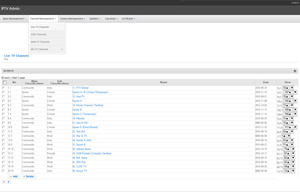
. Channel Management, Channel Security
. Admin Control and Statistics, Log data view
. Multichannel Monitoring System and Service control
. Message Post to individual subscribers
. Billing Information for PayTV
. Individual favorite channel Update and registeration
. Customization of UI and Category

|
and Open Video System
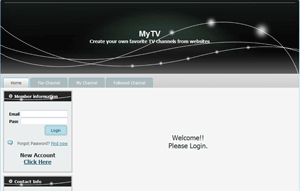
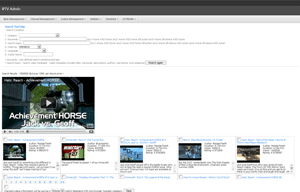
. Youtube and Yahoo Video collection
. Caterogy platform on VODs, Public Videos
. My Channel registration and uploading URLs
. Billing System for PayTV for users, businesses
. Prepaid-Card Point balancing system for PayTV
. Subscribing and following Others
. Home page link available for individual business

|
|
3.1.
Social Networks
. Face Book, Twitter
. Picasa, RSS News, Flicker
. Skype (Txt only, Voice Service TBD)
3.2.
Communications
. Web Mails (Gmail, Hotmail, Yahoo Mail etc.)
. Interactive Google Search
. Interface between STB & Other applications

|
4.1. Social Entertainment
. My Space, Blog
. Built in Google browser
. HD Youtube Onlne, Yahoo Video
. Acetrax (on-line movie contents) - Optional
4.2. Network & Physical Interface
. Digital Living Network Alliance
. Internet Radio
. Wireless Keyboard or Mouse (2.4G) - Optional
. DVBT Dongle for DTV Watching - Optional
|
|
5.1. Video Format
. Source-1: USB-HDD, Network Server
=> Most of Video files (see Specs)
. Source-2: Internet TV (LiveTV, VOD)
=> WMV, H264, VC1, AVI etc.
5.2. Audio Format
. Source-1: USB-HDD, Network Server
=> Most of Audio files (see Specs)
. Source-2: Internet-TV (LiveTV, VOD)
=> MP3, WMA, AAC
|
6. Applications
6.1. Open Installation
. Applications to be recommended by service providers
6.2. Designated Video Service Sites
. Applications to be proven before it launches
. Netflix, Vudu, Hulu, PandoraTV, Redbox, Qwister etc.
6.3. Home-Banking, Stock-Trading
. Android based Home-Banking, Stock-Trading
6.4. Home-Security
. CCTV Security
6.5. Personal Broadcasting
. Broadcast yourself

|
|
7. Product Operation
7.1. (Connection)
Every STB connects to the middleware-site specially designed and programmed for each customer with InternetTV button. And register with proper information given and then get connected to LiveTV and VOD etc.
7.2. (Applications)
By installing the company recommended applications, user can enjoy Social Network Society and Communicators such as Facebook, Emails, Twitters and so on. Users also can install some proven applications for open video access to such as Netflix, Vudu, Hulu, PandoraTV, Redbox, Qwister etc.
7.3. (F/W Upgrade)
By pressing “FW Upgrade” button under “application” from first page, the STB can lead to the FW site for a udownload of the latest firmware and upgrade using SD or USB or internal Nand-flash memory.
7.4. (Authentication) Using the Java tool, it pulls the Mac address and Box ID of the set top box, IP addresses and hidden codes and gives access right to the main page entrance.
7.5. (Contents Management) Using the Java tool, the partner has control tools to create or customize the Live/VOD channels.
|
8. Family Packages for Bundling
(Basic)
. IPTV-STB
. Middleware (i-Pro), (available on requrest)
. Application package (available on requrest)
(Option1)
. Servers for Middleware
. Encoder Server or Encoder
. Streamer Server or Streamer
. Security Software for Contents Security (i-Keep)
(Option2)
. Network Bandwidth
. 3rd party Contents to be provided on request (license separated)
|
|
|

|
|
| |
|
|
|
|
|
|
|